

- Original
- Un bateau MISTRANSLATED approche du port.
- Translators' versions
-
close to the meaning[en] Un bateau MISTRANSLATED approche du port.
natural[en] Un bateau MISTRANSLATED approche du port.
- Reviewer
-
agreeKept the version that stays close to the meaning.
The practice reviewer gives no rationale. A real one explains each difference it settles.
- Judge
-
[en] Un bateau MISTRANSLATED approche du port.
criticalaccuracy/mistranslation: Synthetic critical error: the text is marked MISTRANSLATED.
- Round trip
-
[fr] [en] Un bateau MISTRANSLATED approche du port.
The translation, translated back into French and compared with the original.
- Scores
-
meaning 61.9 / 100style 100 / 100
From quality estimate 0.92, similarity 0.80, judge 0.00, agreement 0.90 and round trip 0.86. The guide check had nothing to check, so it is left out.
- Flag
-
The meaning may have shifted
Meaning score 61.9 is below the 86 threshold. Synthetic critical error: the text is marked MISTRANSLATED.
checkedby the person who edited it
- History
-
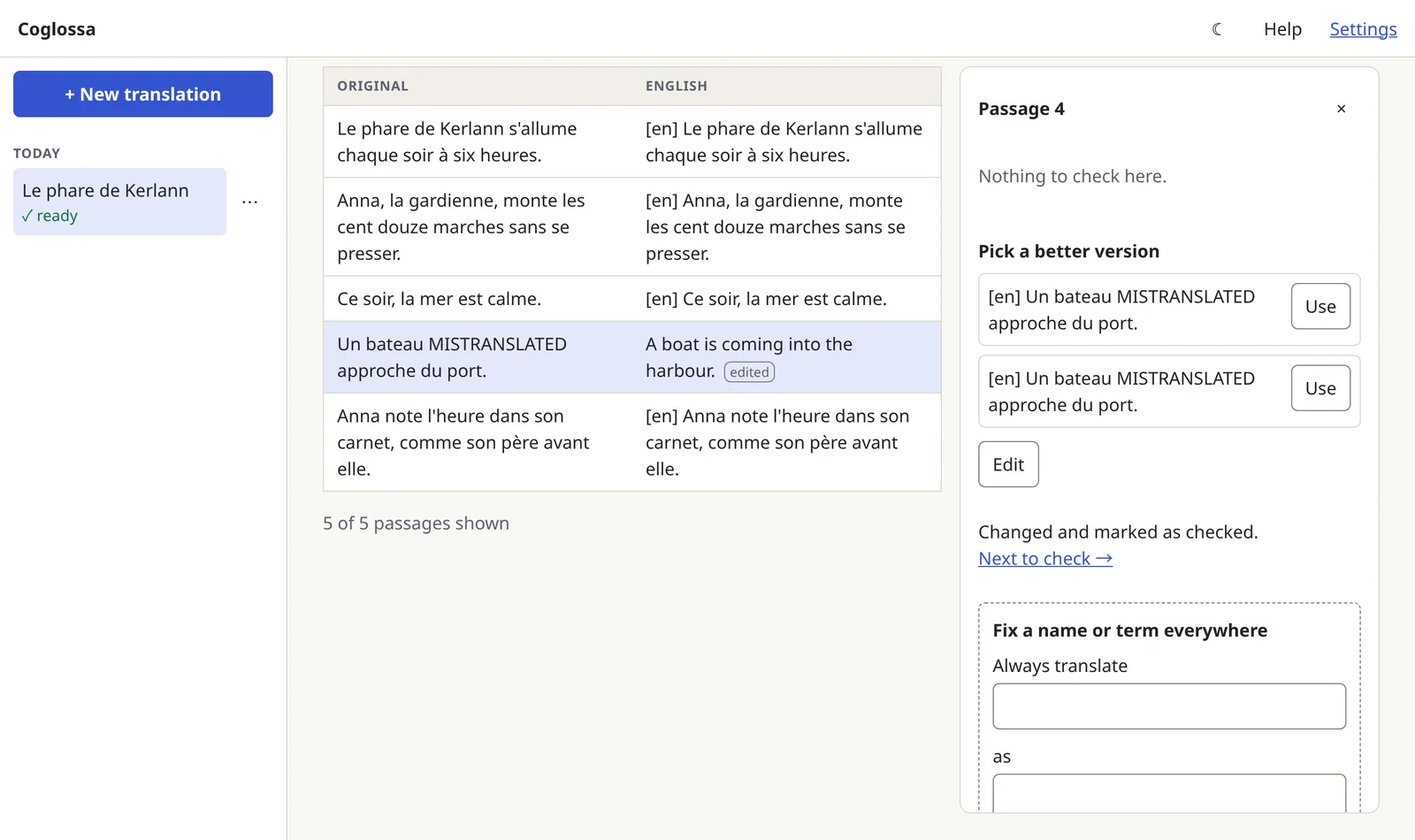
Edited by a reviewer: “[en] Un bateau MISTRANSLATED approche du port.” became “A boat is coming into the harbour.”
Multi-agent translation · on your own servers
Translation that shows its work
Coglossa has several AI translators work on every passage, a reviewer settle their differences, and independent checks score the result. Each passage says how sure Coglossa is and why, so a person knows exactly where to look. It runs on your own model servers and never needs the internet.
Who it's for
For documents that matter, on networks that stay closed
Coglossa is built for organisations that need good translations of their own documents but can't send them to an online service: teams on an air-gapped network, or anywhere the text must stay in the building.
It translates for meaning, not word for word, and it works on anything from a single message to a whole book: stories, reports, papers and correspondence.
It works in any language pair, including languages that AI models handle less well. Coglossa knows which ones those are and asks you to check them more carefully.
It reads plain text, Markdown, Word, web pages, EPUB books and PDFs that contain text. Scanned pages are not read: Coglossa tells you which pages need text recognition first.
How it works
A team of agents, and a record of every decision
Each job is done by a separate AI agent with its own instructions. You choose which model plays each part, and the checks are worth more when different models do the translating and the checking.
-
01 · Read
Understand the document
Coglossa splits the document into passages, detects its language, kind and tone, and picks a way of working that suits its length.
-
02 · Guide
Write a translation guide
A summary, the names, the terms and the style every translator must follow. You can lock an entry so it is always used exactly as written. A long document waits here until you have reviewed the guide.
-
03 · Translate
Several translators
One translator stays close to the meaning of every sentence. Another writes naturally and keeps the voice and tone. You can add more, on other models, for a wider range of versions.
-
04 · Reconcile
A reviewer settles the differences
The reviewer reads every version, picks, merges or rewrites, says how far the translators agreed and explains why. It also points out wordplay and cultural references that may not carry over, and suggests new guide entries.
-
05 · Check
Independent checks on every passage
A judge, ideally a different model, marks errors in the final text. A back-translation into the original language is compared with the source. A separate scoring service rates the quality and how closely the meaning matches.
Together they give each passage a meaning score and, from the judge, a style score. A check that isn't set up or couldn't run is shown as missing, never guessed.
-
06 · Sweep
Keep the whole document consistent
When every passage of a longer document is done, a final sweep fixes any passage that missed a locked name or term, and records each change with its reason.
What a flag can tell you
Each flag comes with a plain explanation and the evidence behind it.
- The meaning may have shifted. The meaning score is low, or the judge found a serious error.
- The style doesn't match the rest. The judge found a problem with tone or wording.
- Doesn't follow your translation guide. A locked name or term wasn't used as written.
- Something may be missing. The length looks wrong and the judge found an omission.
- The translators disagreed. The reviewer rated their differences as major.
- Wordplay or a cultural reference. Something that may not carry over to the new language.
- Some checking didn't finish. A step failed, so the passage is an unchecked draft.
- Less-practised language: check carefully. The scores are less reliable for this language pair.
Demo
One short story, from upload to download
About this recording. It was made on 6 November 2026 with Coglossa running on one computer with its built-in practice models. They don't really translate: they repeat the original with a language tag, such as “[en] Le phare…”, so that every screen and check can be shown without a model server. The practice judge flags any passage containing the word MISTRANSLATED, which is why it appears in the story.
The screens, scores and files below are exactly what Coglossa produced.
-
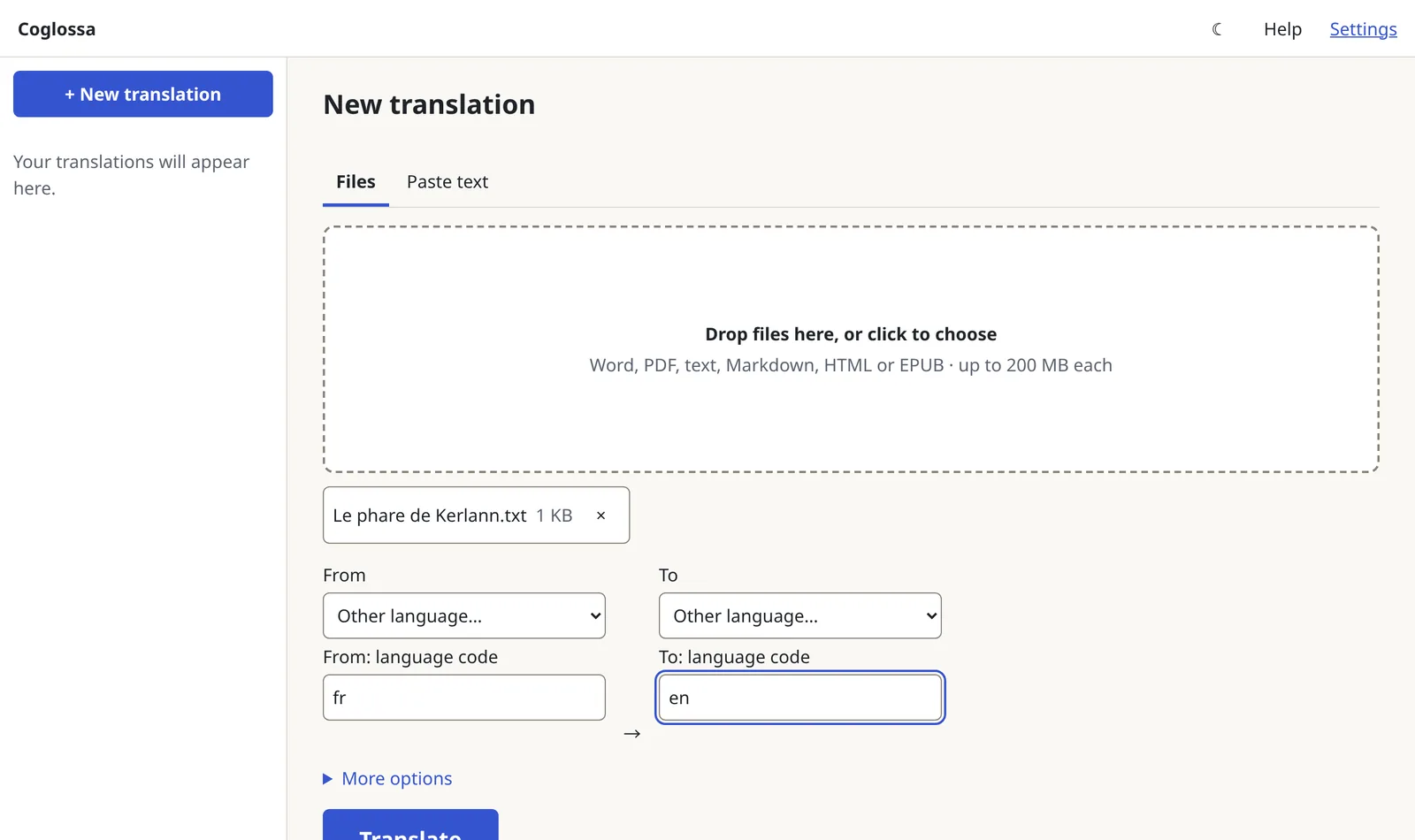 01
Drop in a file
Choose the language to translate into and add one or more files. The original language can be detected for you.
-
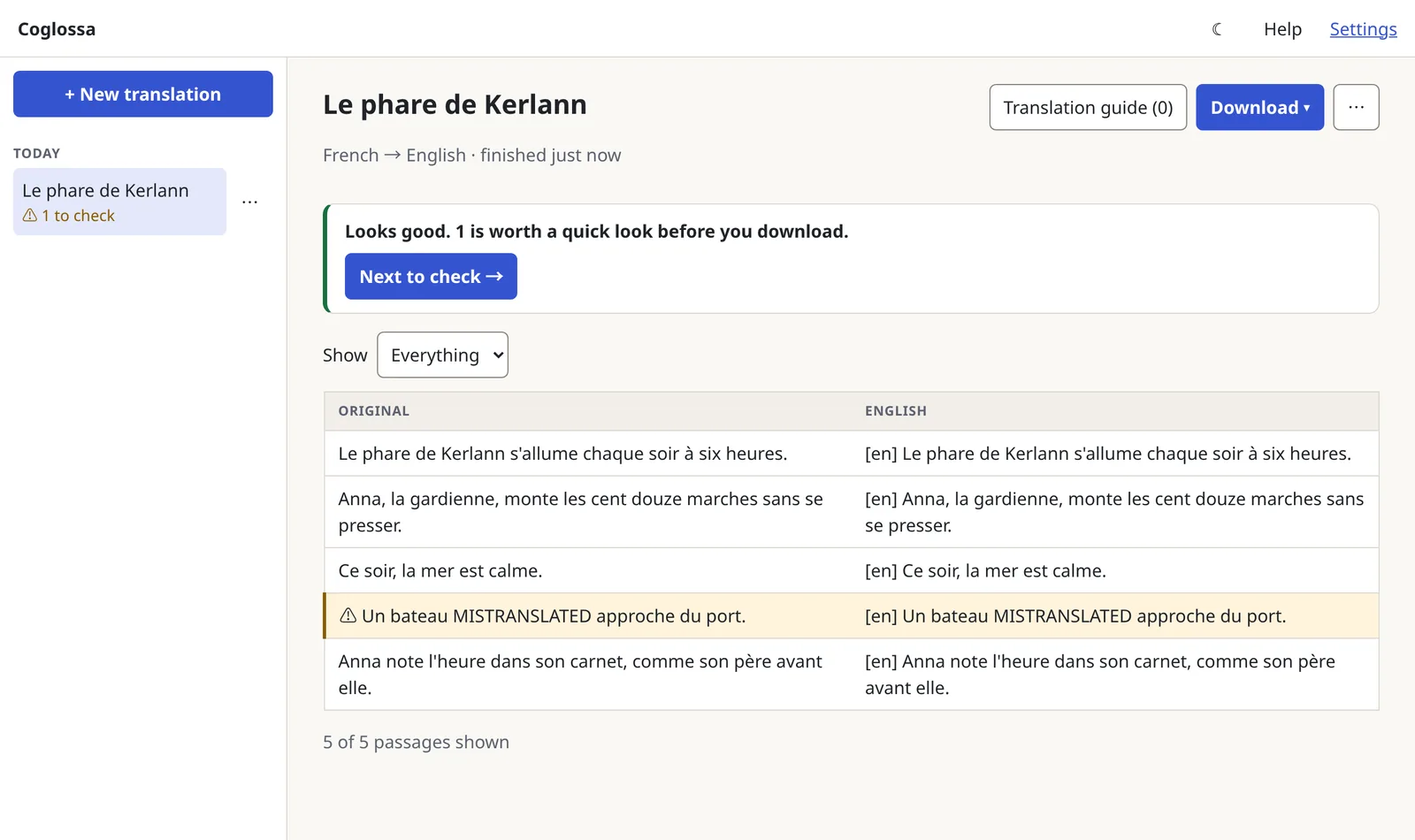 02
Read the summary
The original sits beside the translation, and a plain summary says how it went. Here, one passage of five is worth a look.
-
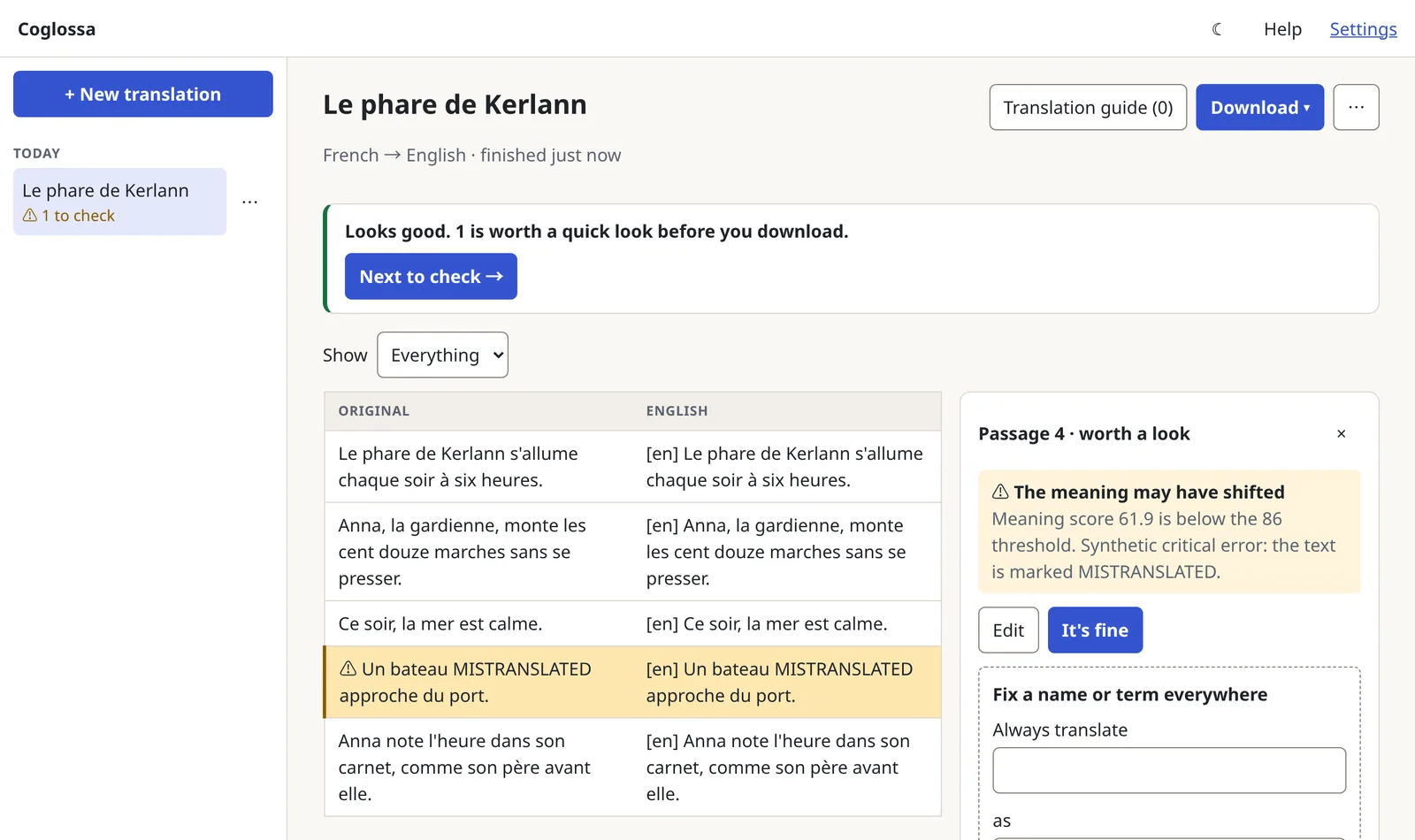 03
See why a passage is flagged
Open the passage to see the reason in plain words. Edit it, pick another translator's version, or mark it as fine.
-
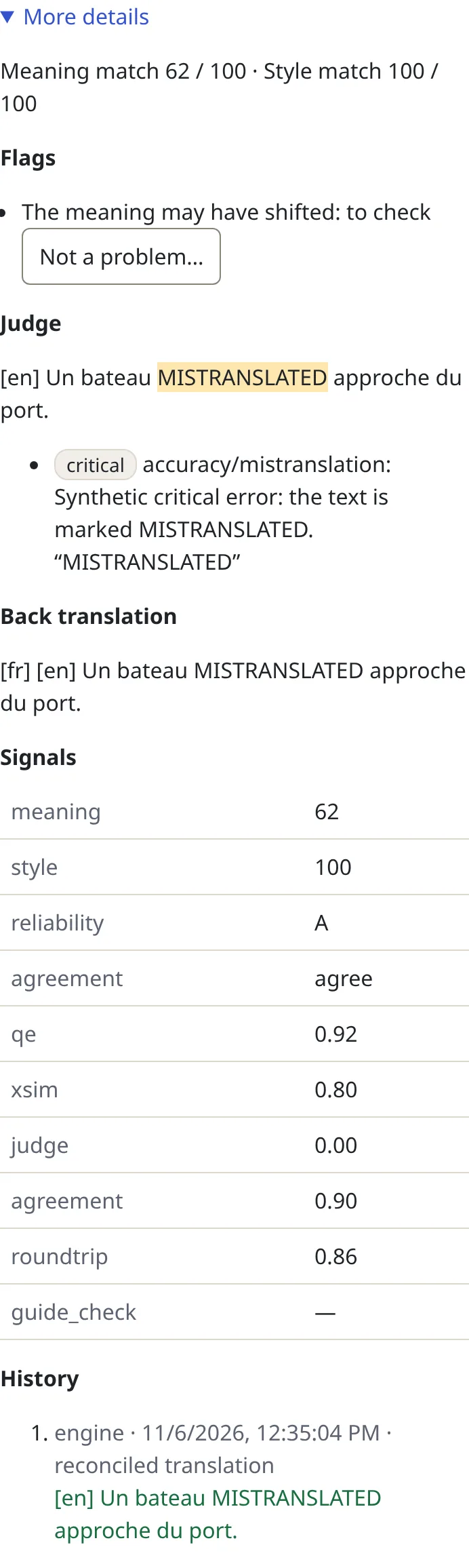 04
Check the evidence
Under More details: the scores, the judge's findings marked in the text, the back-translation, each signal behind the scores, and the history of every change.
-
 05
Fix it
A person's edit replaces the passage, is marked as checked, and is kept in the passage's history.
-
 06
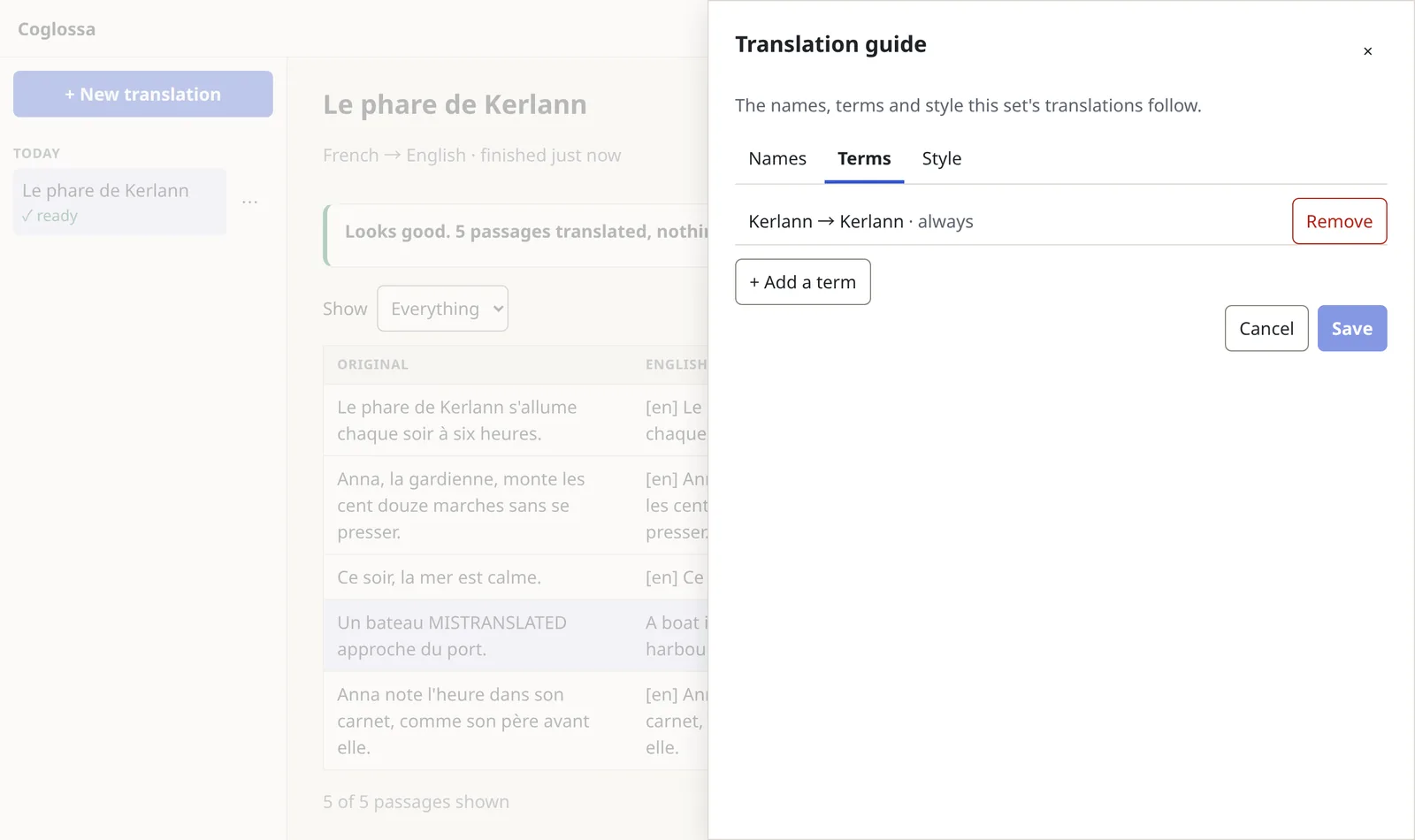
Fix a name everywhere
“Always translate Kerlann as Kerlann” adds a locked entry to the translation guide and rechecks the whole document. Every file in the set follows the same guide.
-
 07
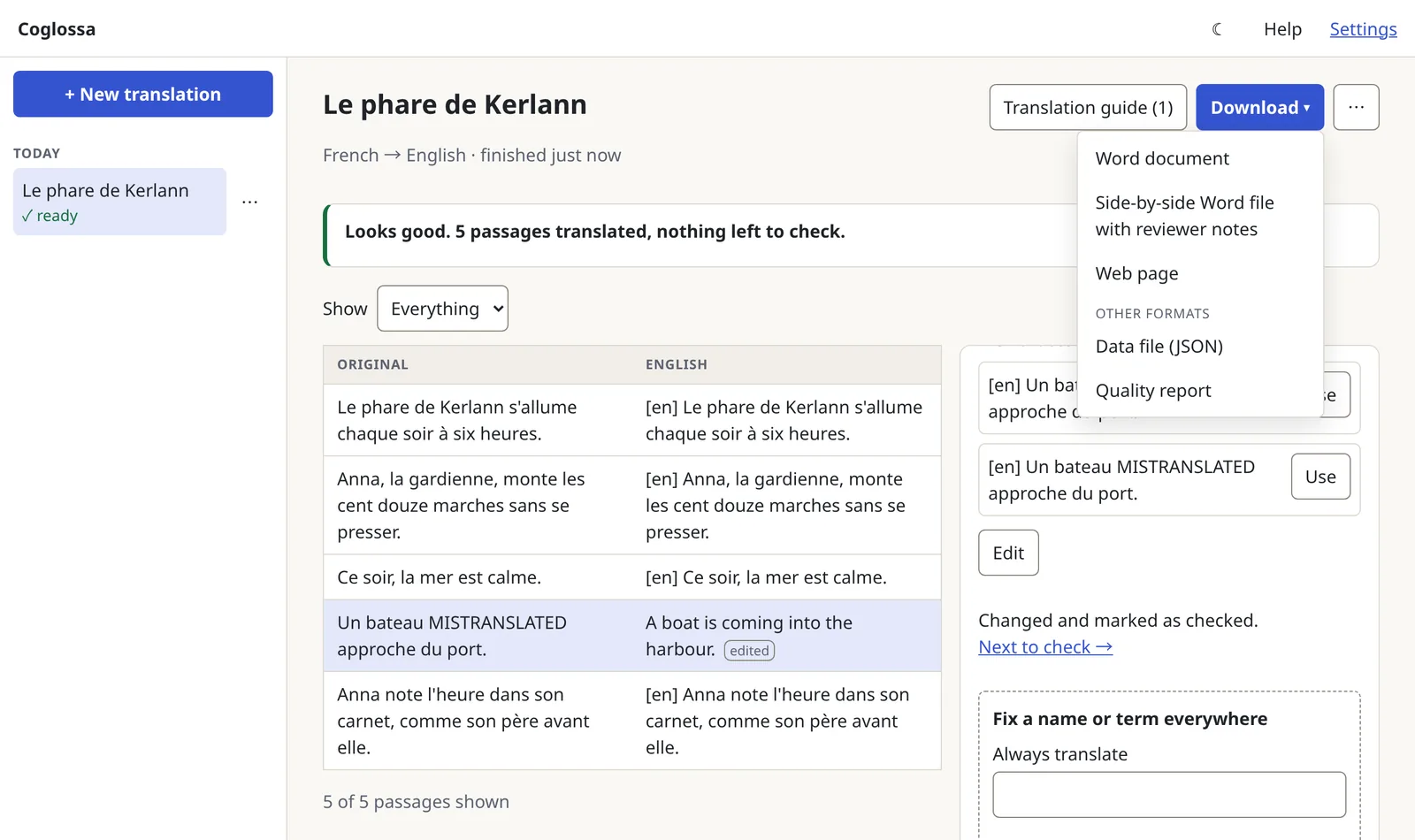
Download
As a Word document, a side-by-side Word file with the reviewer's notes, a web page, or the data behind it all.
Sample output
Everything behind one passage
This is passage 4 from the run above, as it appears in the quality report Coglossa exported. The practice models made the translations, so they only repeat the original; the edit at the end is the person's.
Run it
On your hardware, with your models
Your own model servers
Coglossa works with any model server that speaks the OpenAI-compatible API, such as vLLM, Ollama, TGI, the llama.cpp server or LM Studio. You list your servers and models in one settings file and choose which model plays each part. Coglossa never sends more requests to a server at once than you allow.
An offline bundle
Coglossa ships as one file for a Linux computer (Intel or AMD, 64-bit) with Docker. It holds everything: the app, the scoring service and its models, the database, the scripts for installing, backing up and restoring, the operator guide and a test set for measuring quality. Nothing in it reaches the internet, so it installs on an air-gapped network. The scoring service runs on an ordinary processor, or faster on an NVIDIA graphics card.
Measure it on your own models
A built-in benchmark compares Coglossa with a single model working alone, on your own models and languages, and reports quality against the time and effort each took.
Install
./install.sh                # checks the bundle and loads it
# edit config/coglossa.yaml: your servers, models and roles
docker compose up -d --wait
docker compose exec api coglossa doctor
coglossa doctor checks the whole installation, from each model
server to the database, and explains how to fix anything it finds.
Sign-in and teams
Behind your own sign-in proxy, people see the translations of their teams. Without one, everyone on the network sees everything.
A hosted preview
A hosted preview runs the same code for demonstrations, with accounts by invitation. It uses hosted models, so it is not the offline setup.
Licence
Licence
Coglossa will be released under the Apache License 2.0.
Contact
[Contact details: to be added before launch]